
 Any new technology comes with a learning curve. Whether it’s finding the locations of buttons on a new remote or re-establishing your settings on a new phone, a change in equipment often means time spent learning how to use the new equipment instead of actually using the new equipment. This process is extended when there are multiple users. Ease of use becomes an important factor in a purchasing decision, and often, it may seem easiest to stick with a familiar brand just because it’s already known. But familiarity doesn’t mean most efficient, or even easiest. When every manufacturer promises «simple» and «user-friendly» design, how can you know you have the best solution?
 At LECO, innovation doesn’t happen in a vacuum. Our Service, Support, and Sales teams are always communicating with customers, learning about the unique pain points in your lab and the general frustrations in labs around the world. This information is fed to our Research and Development team to find solutions to the actual problems faced by actual labs. Key customers are brought in along the design process to critique our solutions and offer suggestions based off of real usage. LECO’s instruments are designed by scientists, for scientists.
We don’t stop at just the hardware. Firmware and software are developed in tandem with our instruments, adapting to every improvement in technology for truly intuitive, seamless control that we are so confident in, we wanted to show it off.
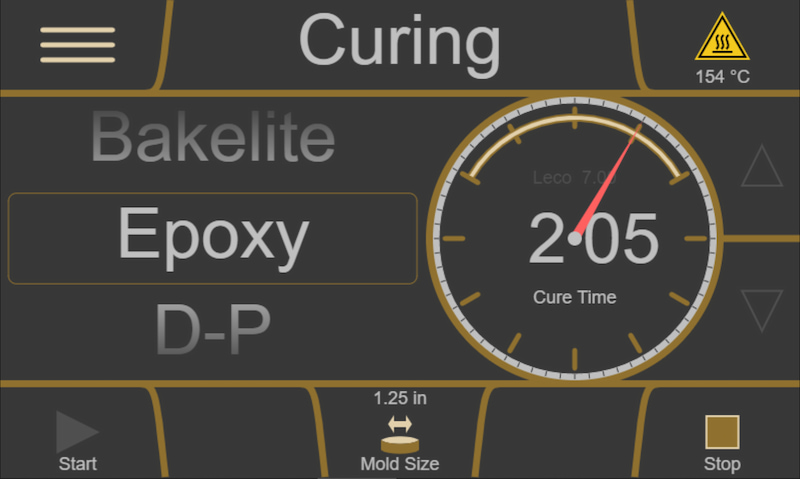
In the Metallographics section of lecosoftware.com, two firmware simulators are ready for you to explore. The PX simulator demonstrates how genuinely simple LECO’s PX-series of grinder/polishers are to operate: once a method is set, you merely need to select it and press start. Methods can even be developed, downloaded, and shared for the PX series using the online method development tool. The MX simulator does the same for the MX-series of mounting presses. At a slim 8″ wide, the MX-series takes benchtop efficiency to an entirely new level.
You don’t need to take our word for it. Explore our online simulators and see what you’ve been missing with LECO.


